If your lyrics are in Japanese, Korean, Chinese, Arabic, Hindi, Thai, Russian, Greek, Hebrew, or another non-Latin language and they look blank, invisible, or like empty boxes (▯▯▯), the cause is the font. The font you picked can't draw your language's characters. The fix takes 30 seconds.
A font only knows how to draw the characters it was made for. Most karaoke fonts only cover the Latin alphabet (A–Z). When you use one for Japanese, Arabic, or other scripts, the characters have nothing to display — so they come out blank or as empty boxes.
Your lyrics aren't missing. The font just can't draw them. Switching to a font that supports your language fixes it instantly.
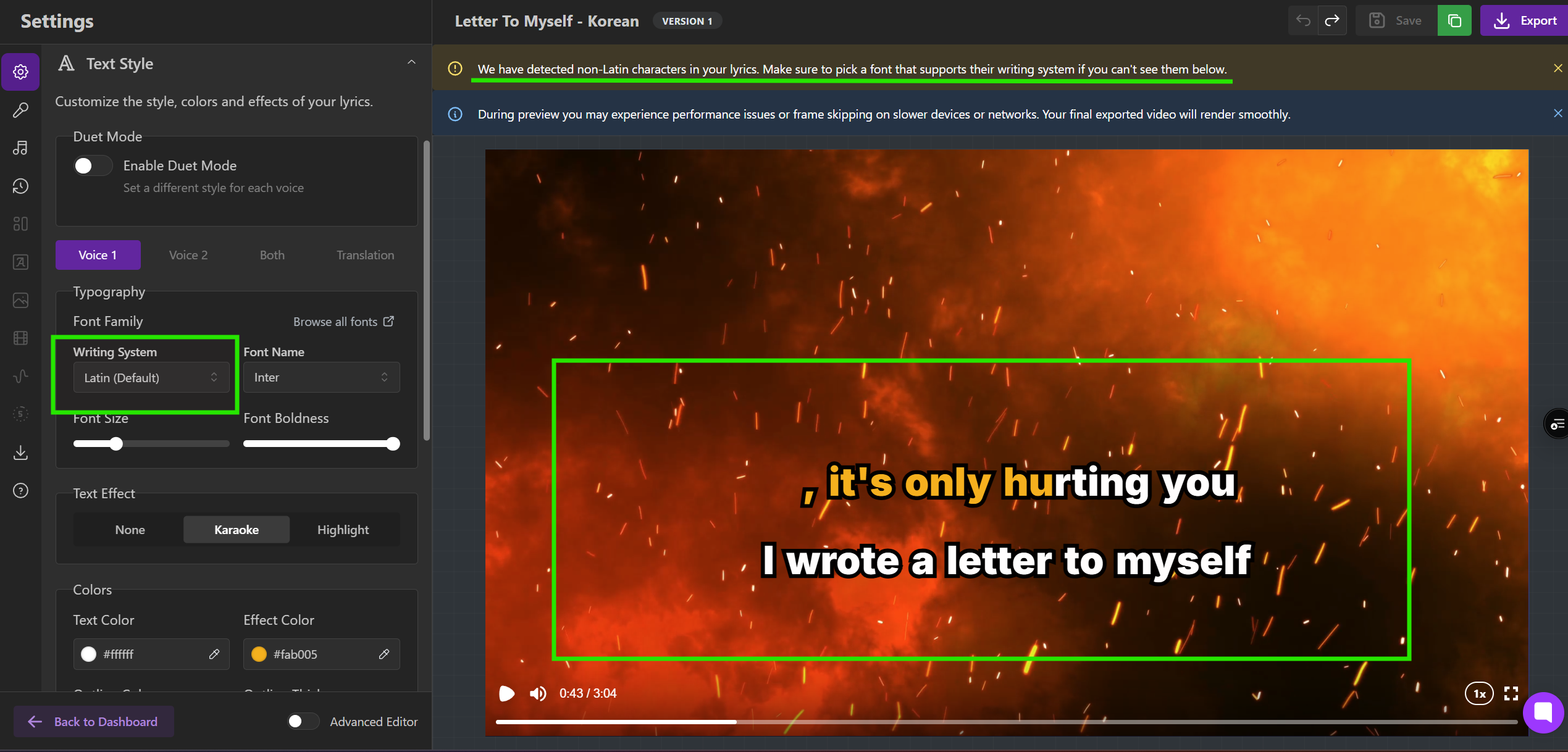
If you see this warning:

Don’t ignore it! That's exactly this issue. Follow the steps below to pick a compatible font.
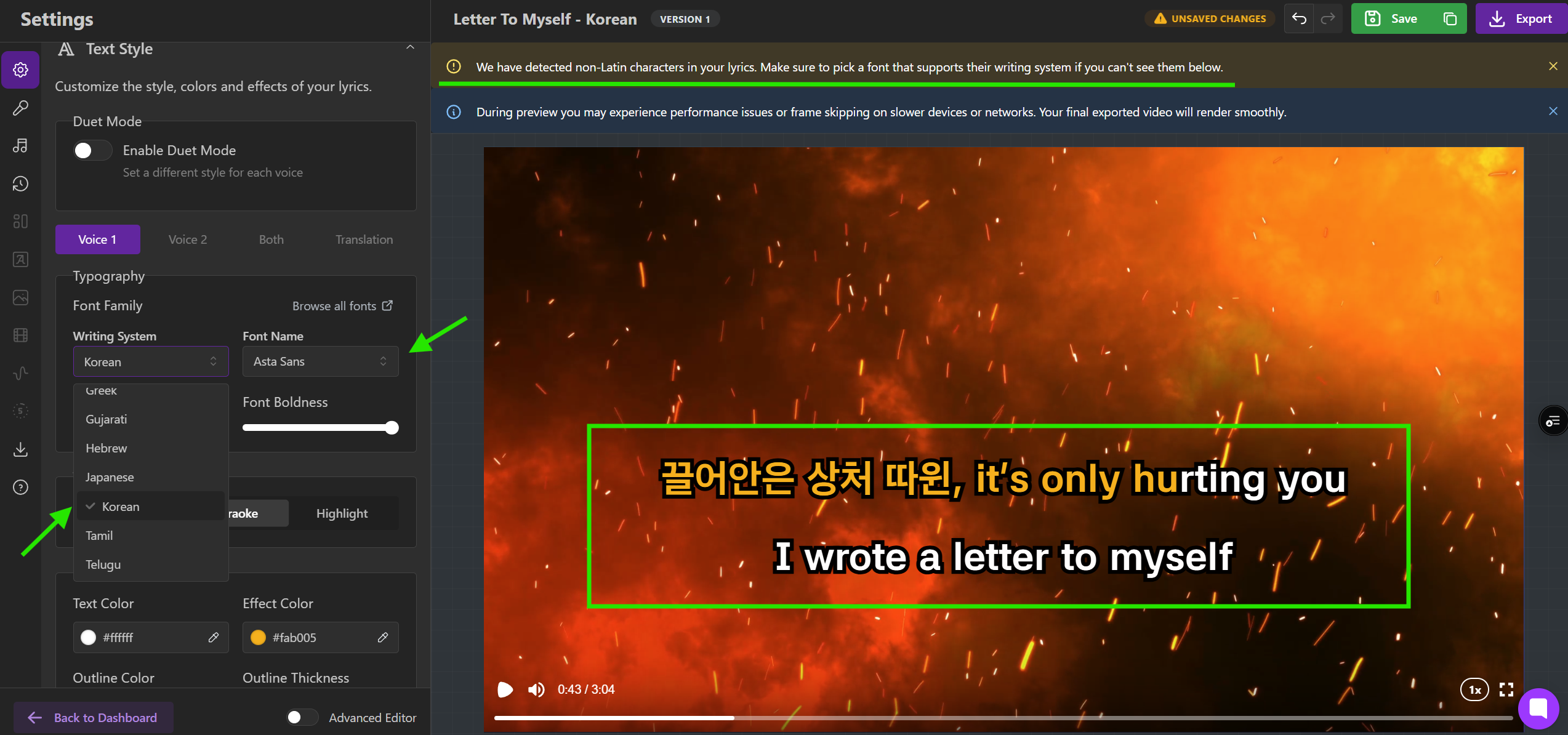
The Font Family picker (in the Text Style menu) has two parts:
Writing System — your language's script (Japanese, Arabic, Cyrillic…).
Font Name — shows only fonts that support the script you picked.
So once you set the right Writing System, every font in the list will work.
Open the Text Style menu → Typography → Font Family.
Set the Writing System to match your lyrics.
Pick any font from the Font Name list — they all support your script.
For Arabic, Hebrew, Persian, or Urdu, turn on the Right-to-left toggle.

Lyrics show in the Lyrics Editor but are blank in the video. The editor uses your browser's fonts; the video uses the font you picked. Choose a font that supports your Writing System.
Some characters show, others don't. Your font only covers part of your text. Pick a font that fully supports your script.
I set the right font but text still won't show. Check that the Writing System matches your lyrics (not just the font), wait for the font to finish loading, and for right-to-left languages make sure the Right-to-left toggle is on. Still stuck? Contact support with your language and font name.
Text Style → Typography → Font Family
Set Writing System to your language
Pick any font from the Font Name list
Arabic / Hebrew / Persian / Urdu → enable Right-to-left
